Balloon. Tolerance.
The control plan writes itself.
Set your operations once. Every work center knows what to hold.
No sign up. No install. Nothing uploads.
Built by a quality engineer, not a software company.
“Four years of writing control plans in a small aerospace shop: ballooning in a PDF editor, working out grind and plate stock by hand, retyping it all into AS9102 forms. This is the tool I wanted all along.”
The steps aren’t hard. There’s just a lot of them.
Takes most of a day, and almost none of it is engineering.
- Open the print in a PDF editor
- Balloon every dimension by hand
- Renumber the ones you missed
- Type each dimension into a spreadsheet
- Type the tolerance beside it
- Look up the plating spec
- Work out the pre-plate limits
- Work out the grind stock
- Check the thread allowance against H28
- Paste it into a control plan template
- Set a method and a frequency on every row
- Write the limits onto each operation sheet
- Save a copy for the floor
- Open the AS9102 template
- Retype the characteristics into Form 3
- Fill Form 1 from the part header
- Fill Form 2 off the material certs
- Find the transposed digit in row 34
- The print revs. Start again.
None of it is difficult. All of it is on the clock.
- 1Balloonon the drawing, once
- 2Tolerancetyped once, off the print
- 3Operationswhat each one adds or removes
- 4Exportmulti-op prints, control plans, & AS9102
Set it up once. Every document is ready when you are.
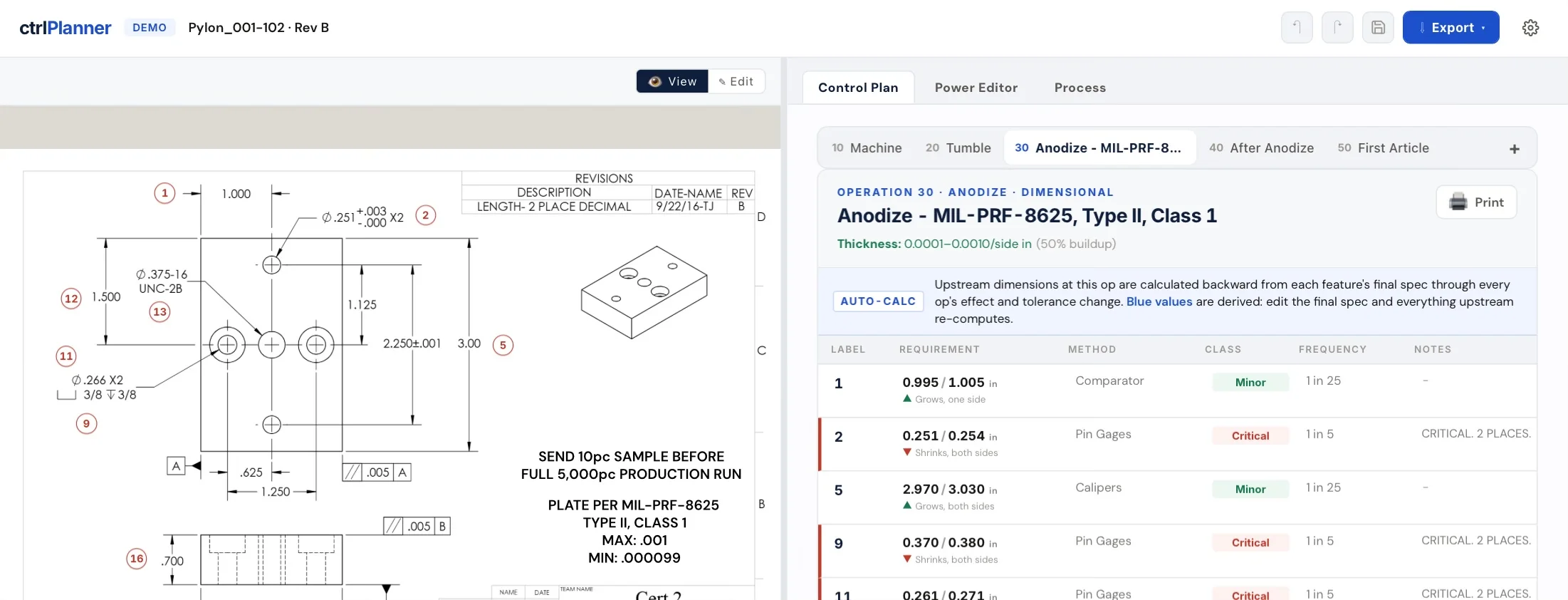
The tolerance walks back for you.
Set each operation once: what it adds or removes, one side or both. Every dimension then walks back up the process on its own.
what the drawing says
what the machinist has to hold
both sides, on the dimension
Change one limit and every upstream station updates. No stale copies floating around.
A coat shifts pitch diameter four times its per-side thickness on a 60° thread. Anodize builds up half.
Nothing leaves the machine.
ctrlPlanner lives in your browser and saves files directly to your drive. There is no server holding your customers' data.
Doesn't widen your CMMC boundary
No outside service touches your CUI. Everything stays inside the boundary you already assess.
Technical data stays put
Export-controlled drawings never leave, because there is nowhere to send them.
Nothing for IT to approve
No security questionnaire, no vendor onboarding, no data-handling review.
ctrlPlanner does not make your shop compliant, it just stays out of the way.
What you see is what you get.
Billed every month. Cancel any time.
$2,388 a year · over two months free
One invoice a year. Cancel any time.
Your plans are your files. Every record is a .cplan.zip on your drive. Stop paying and ctrlPlanner goes read-only, it never locks you out of what you own.
A print is already loaded.
Balloon a feature, set an operation, watch the limits recalculate upstream. No sign up, no card.